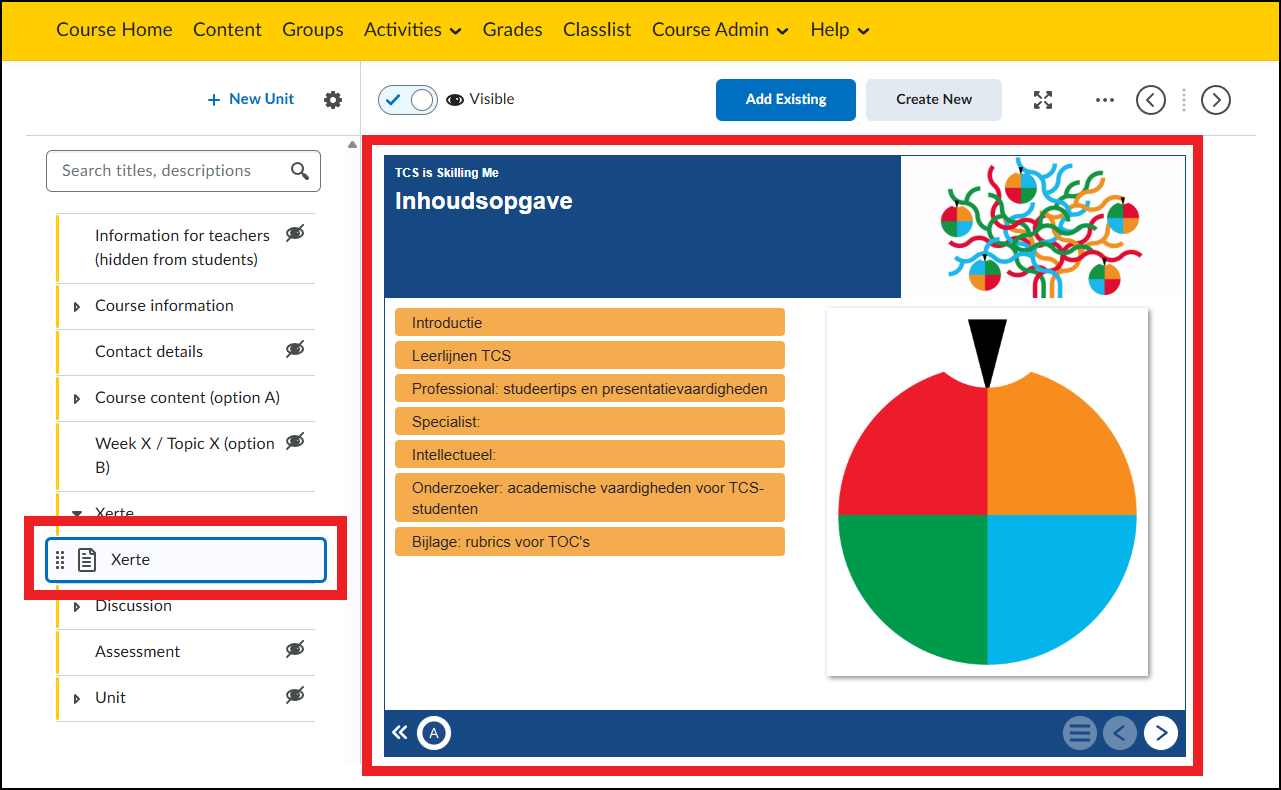
Add Xerte course
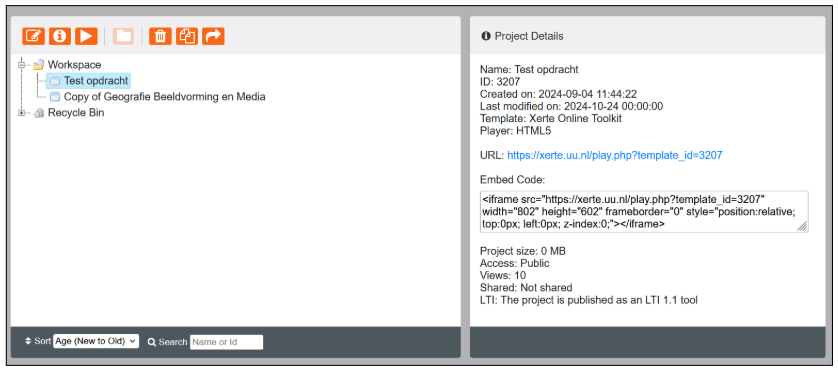
- Go to the correct Xerte course at Xerte.uu.nl.
- Copy the Embed Code under Project Details. If it is not visible: go to Project Properties by clicking the orange i in the top left; go to Access and set the project to public (this can only be done by the Creator or Co-Authors).
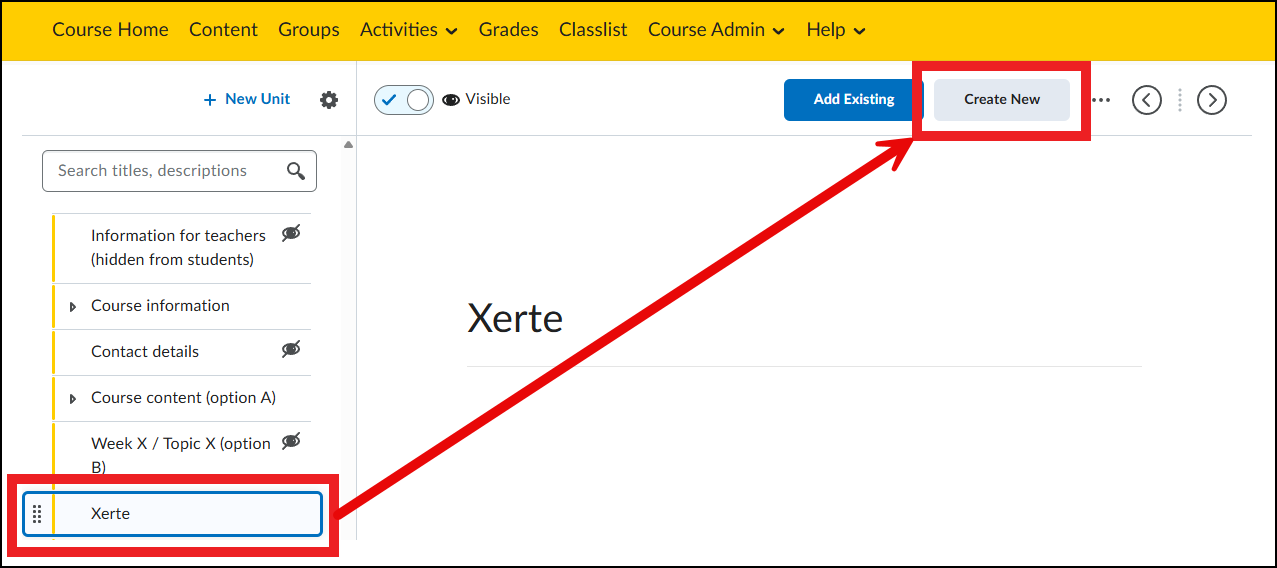
- Go to the Brightspace course and find the unit where you want to place the Xerte course.
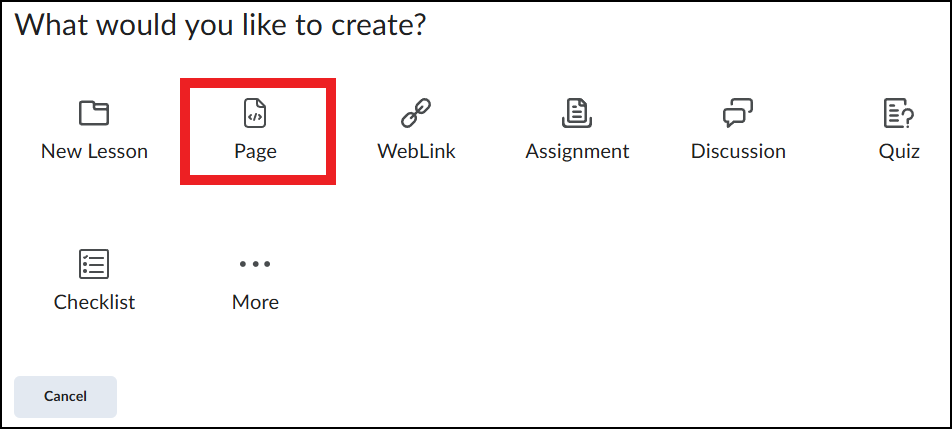
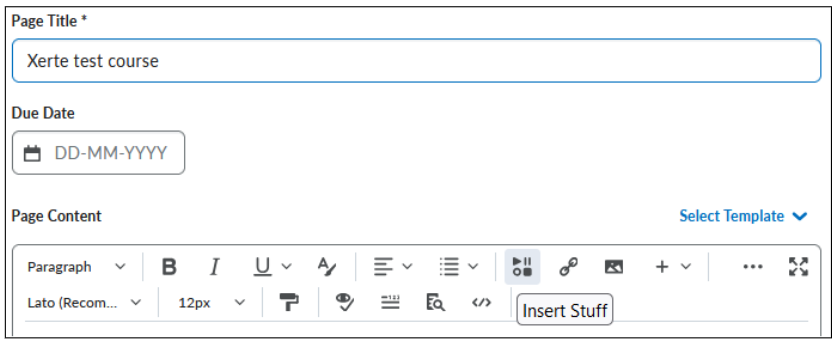
- Click Create New -> Page (or HTML-File); and give it a title.
- Click Insert Stuff
- Then click Enter Embed Code.
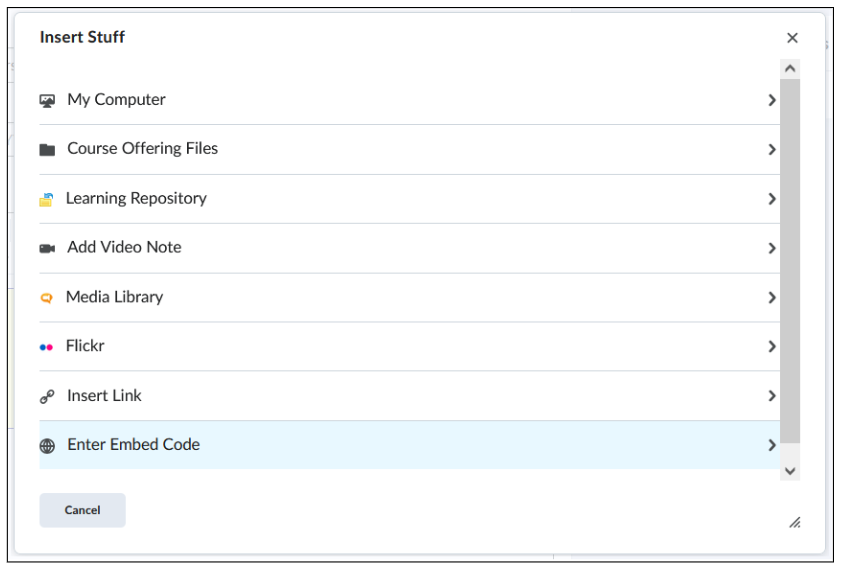
- Paste the Embed Link you copied from Xerte into the field and click Next.
- Check ‘Always trust this URL’ and click Allow if Brightspace asks for permission.
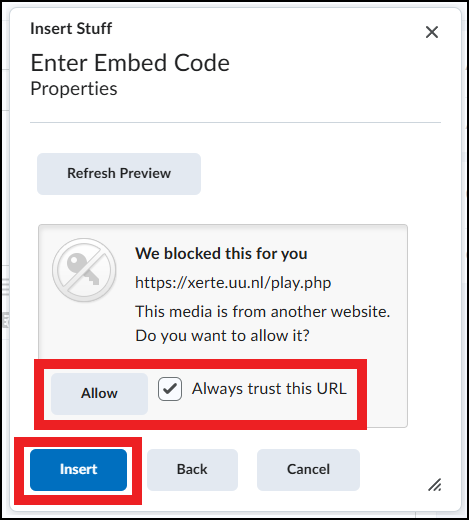
- Check ‘Always trust this URL’ and click Allow if Brightspace asks for permission.
- Click Insert and Save and Close.
- The Xerte course now appears under the folder you have chosen.