
Pitch2Peer
- First, navigate to the course where you want to add Pitch2Peer.
- Scroll down from your homepage and find the course in the selection menu, or click the grid above the navigation bar and find the course in the list.

- On the course homepage, click ‘Content’ in the navigation bar.

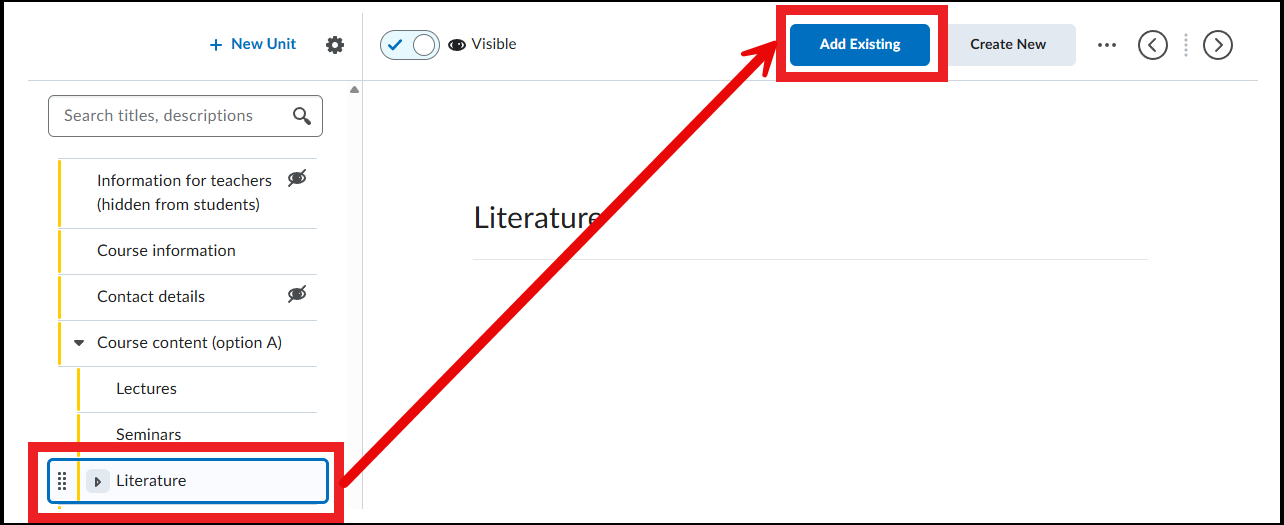
- Go to the folder (Unit, Lesson or Folder) where you want to add the link to Pitch2Peer.
- Choose ‘Add Existing’
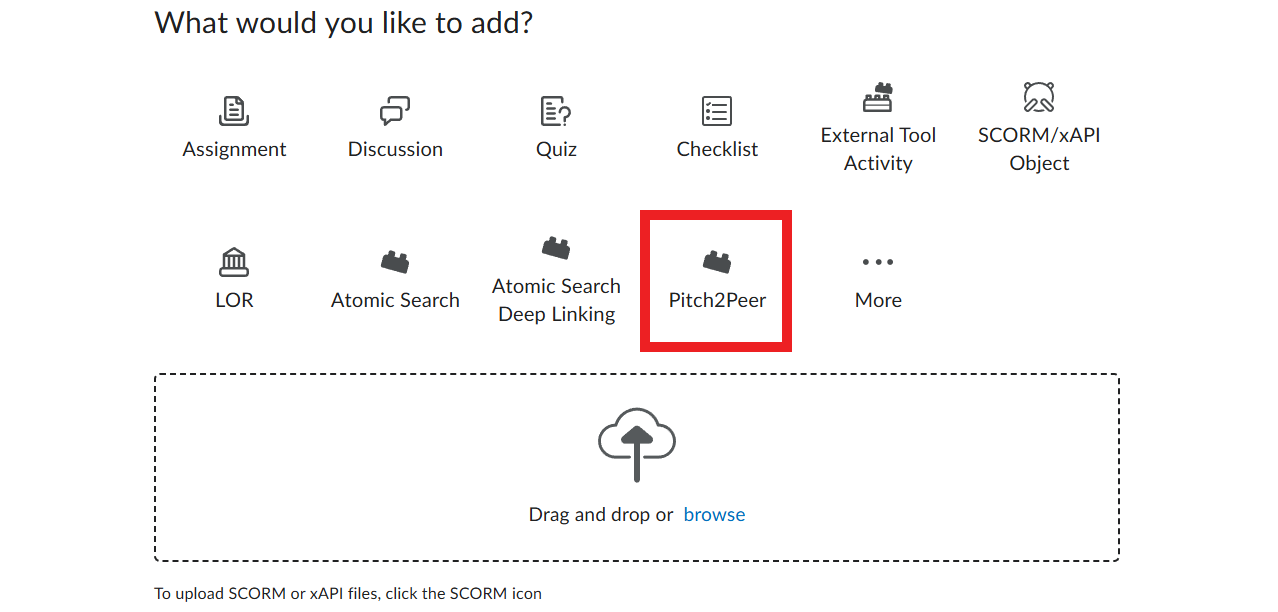
- Then choose ‘Pitch2Peer’
- Next, ‘Add Pitch2Peer’
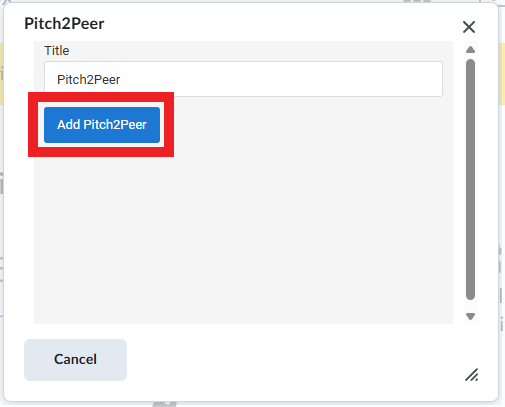
- Pitch2Peer is now added within the folder you previously selected in Content. Here you can continue setting up Pitch2Peer.