
Course Reports
Course Reports are generated to provide high-level summary of the accessibility across a course. Instead of reviewing files individually, Course Reports summarize accessibility data for all scanned content within a course. The report can be found in the Panorama tool itself accessible through the Navbar below Course Admin/Accessibility option.
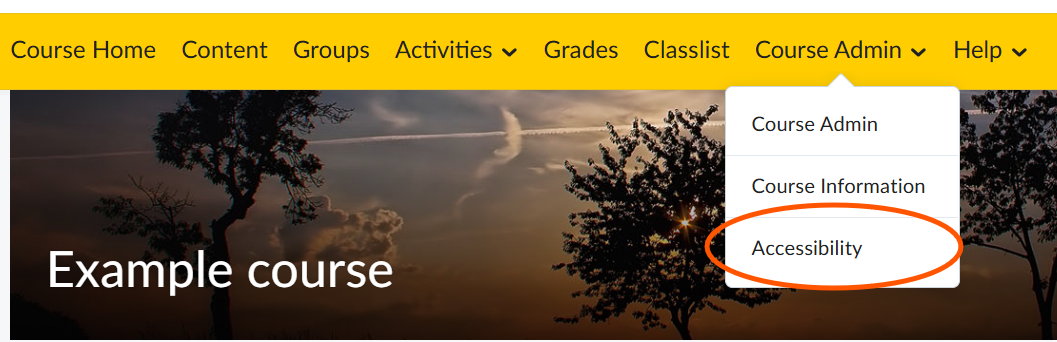
How to access course reports:
In your course click Course Admin in your navigation bar. Then click Accessibility.
What the Course Report Shows
- Overall Course Accessibility Score – A summary score reflecting the average accessibility of course content.
- Total Files Scanned – The number of documents evaluated by Panorama.
- Issue Breakdown by Type – Common issues identified across the course (e.g., missing alternative text, heading structure problems, table formatting issues).
- Issue Severity Levels – Classification of issues by priority or impact.
- File-Level Insights – A list of course files with individual accessibility scores for targeted review.