Copy an announcement
Copying an Announcement within a course or to another course.
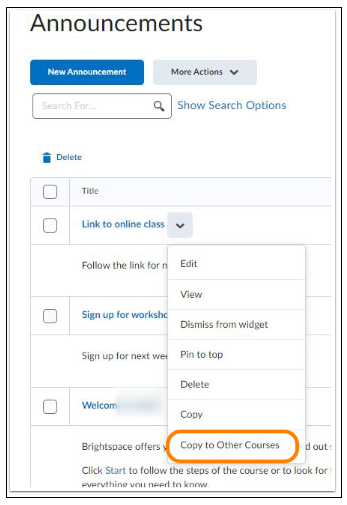
It is possible to copy an Announcement within a course, as well as to copy an Announcement to another course. On the Announcements homepage, click the arrow under the desired Announcement and then click the option Copy or Copy to Other Courses.
Copy within a course:
- When you click Copy, the Announcement appears in the next screen.
- The original title of the Announcement is automatically filled in with the text “Copy of” in front.
- You can edit the title.
- Click Publish at the bottom to publish the copy of the Announcement.
Copy to another course:
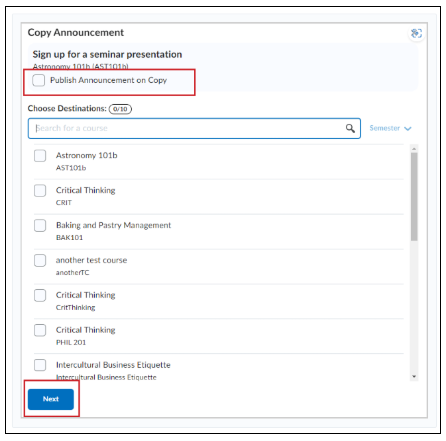
- When you click Copy to Other Courses, you can indicate on the next screen to which course you want to copy the Announcement.
- To copy an Announcement to another course, you must be enrolled as an instructor in that course.
- Note: Don’t forget to check that the copied Announcement is actually published and not just left in the draft version.
If the checkbox (Publish Announcement on Copy) is not selected, the Announcement will be copied as a draft in the course(s) and must be published manually.