Link to Assignment, Quiz or Discussion
Manual for Linking Assignments/Discussions/Quizzes in Content
This manual assumes that you have already created an Assignment, Discussion or Quiz. If this is not the case, you can find the manuals here:
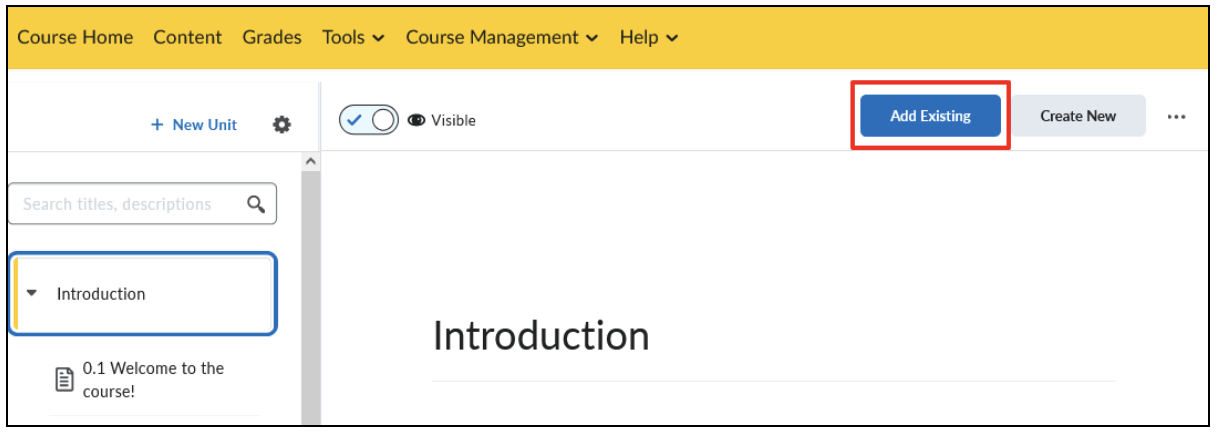
- Navigate to the Content menu by clicking on ‘Content’ from the Homepage.

- Go to the desired Unit/Lesson/Folder on the left side of the screen and click on ‘Add Existing’.
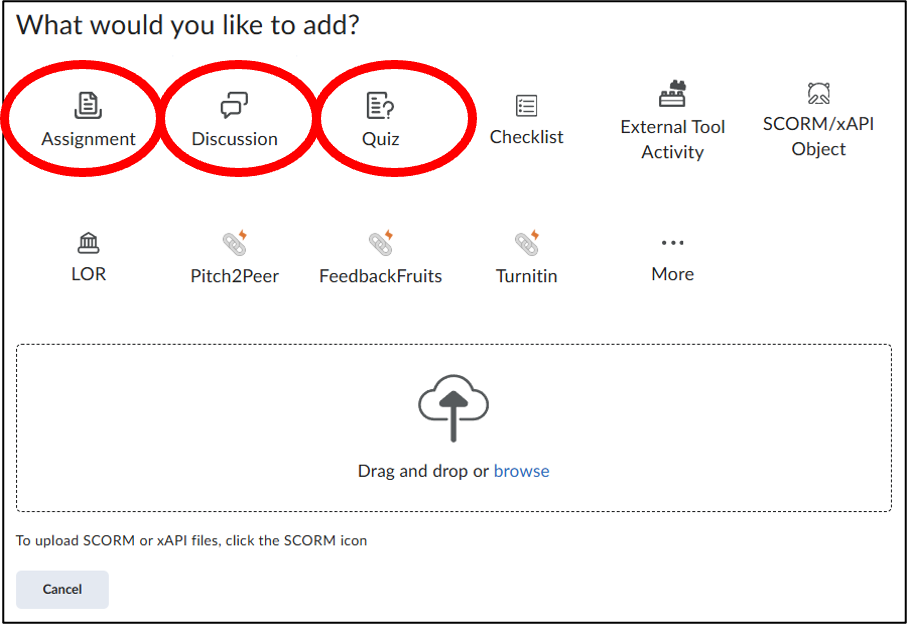
- In this menu, choose whether you want to add an Assignment, Discussion, or Quiz.
Assignments
- Click on ‘Assignment’ in the menu.
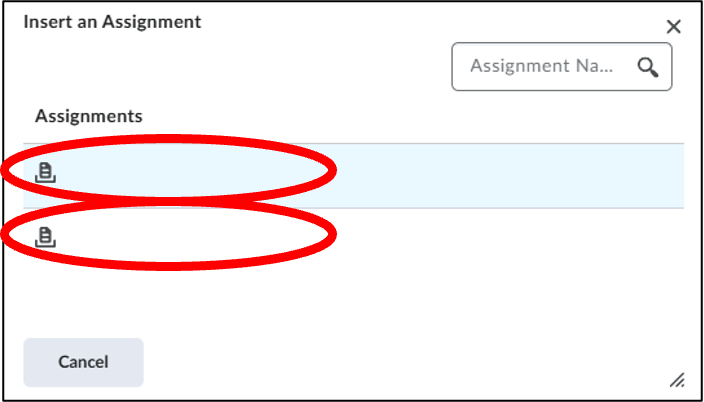
- Then click on the Assignment you want to add.
- The Assignment has now been added into the correct Unit/Lesson/Folder.
In this example, the names of the Assignments have been removed.
Discussions
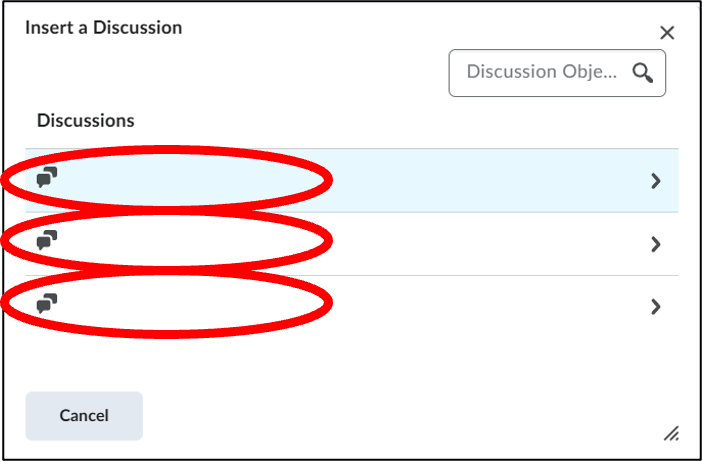
- Click on ‘Discussion’ in the menu.
- Then click on the Discussion you want to add.
- The Discussion has now been added into the correct Unit/Lesson/Folder.
In this example, the names of the Discussions have been removed.
Quizzes
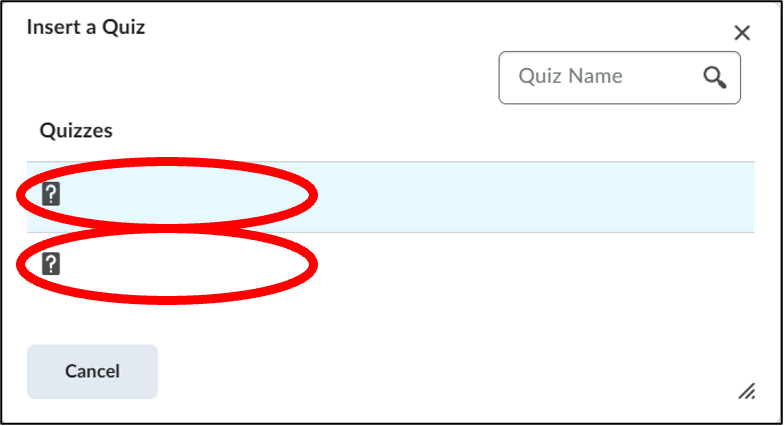
- Click on ‘Quiz’ in the menu.
- Then click on the Quiz you want to add.
- The Quiz has now been added into the correct Unit/Lesson/Folder.
In this example, the names of the Quizzes have been removed.